Record meetings anywhere with Quin’s upgraded in-person notetaker
November 10, 2025

Not all meetings happen on Zoom. Sometimes they’re across a desk, over coffee, or in a conference room. Quin’s new in-person recording experience makes it easy to capture those conversations with the same precision as your video calls — using your device’s native audio recording.
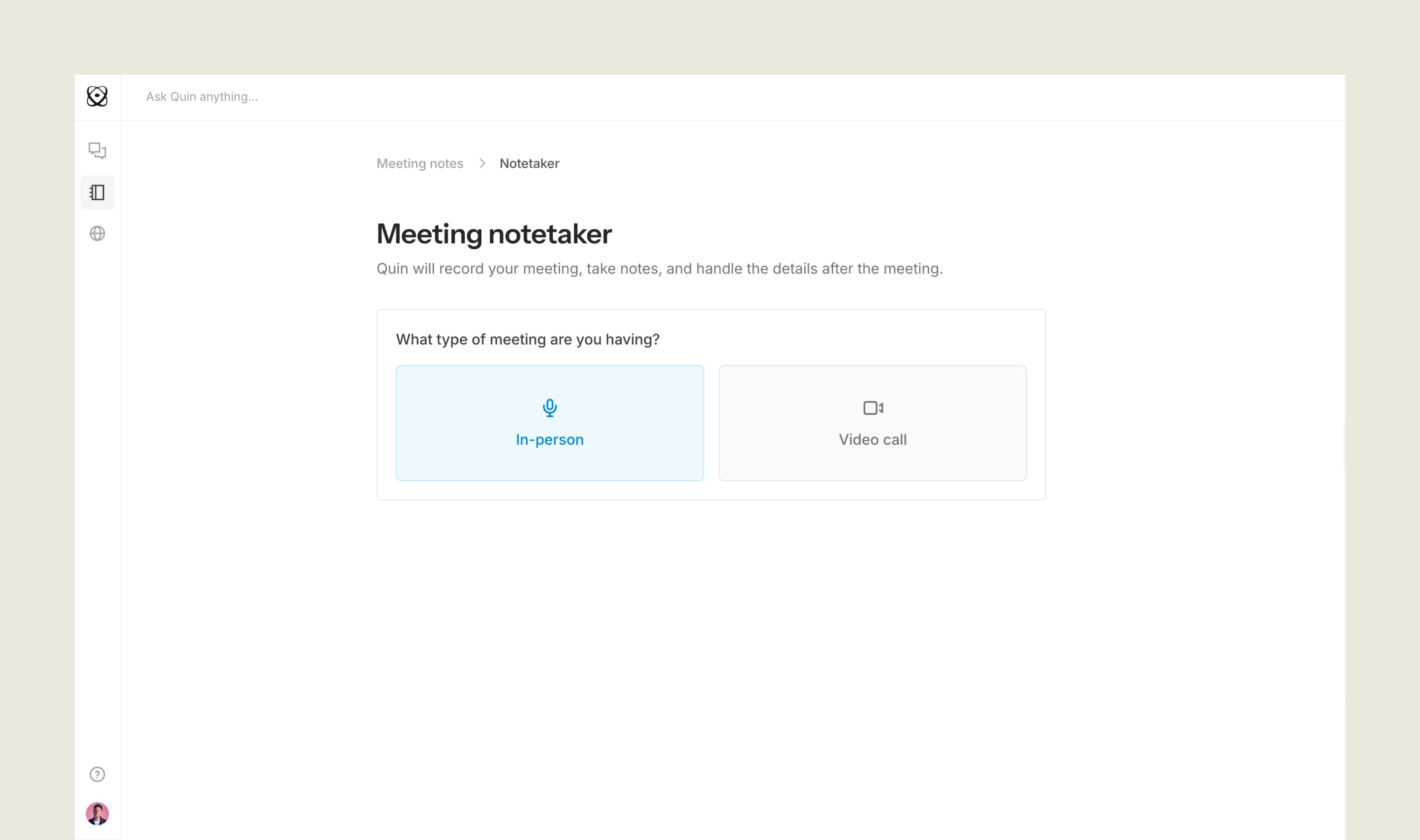
How it works
You can now start a new recording right from your Meeting notes page:
- Click New meeting
- Choose In-Person
- Add the names of the people in the meeting
- Hit Start meeting
Quin will automatically record the conversation, take notes, and handle the follow-up work after you finish.
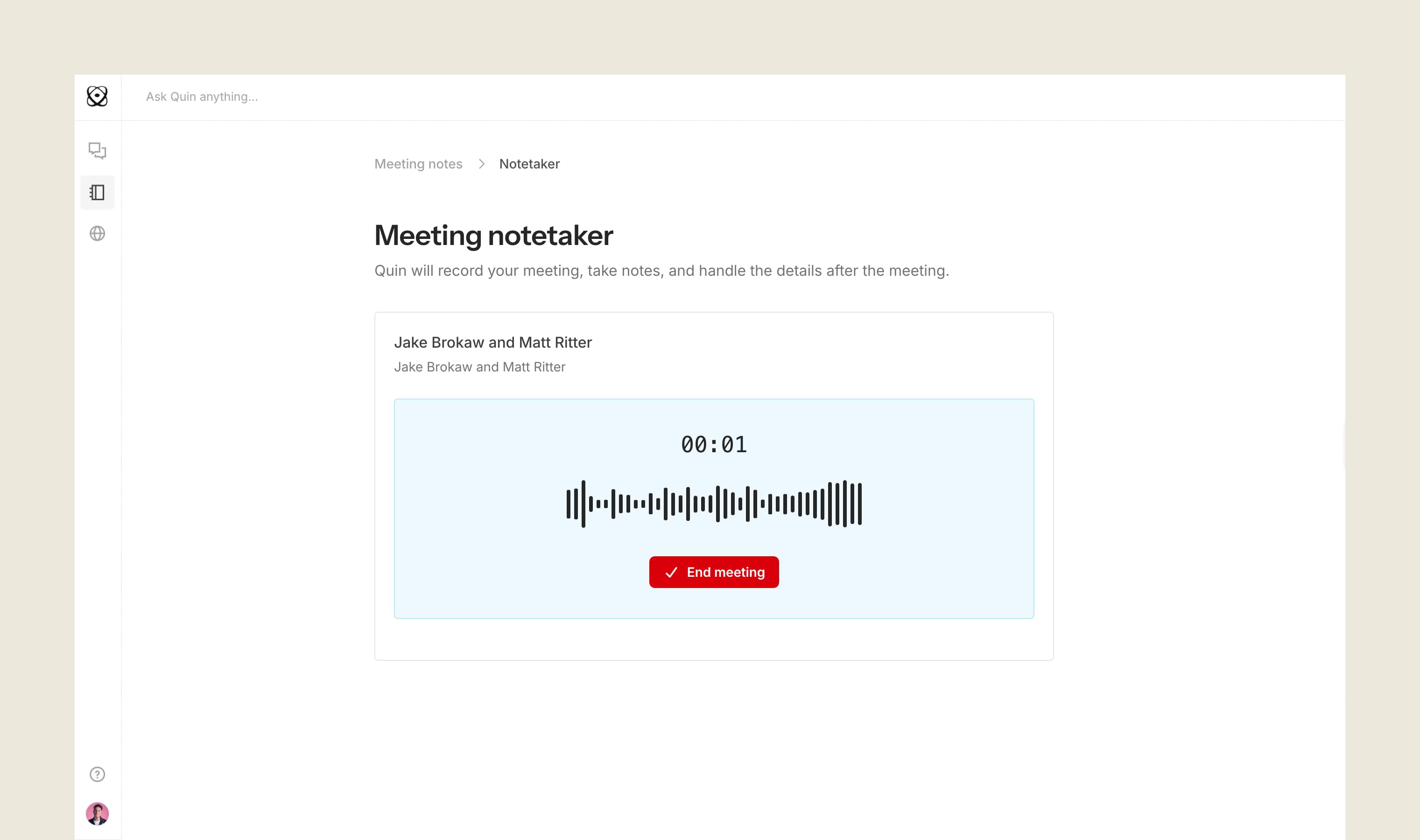
When you’re done
Once you hit Stop recording, Quin will process the meeting and generate both the recap and transcript — all visible in your Meetings page. You’ll also receive an email notification once your notes are ready.

Built for reliability
If your recording ever gets disrupted — maybe you switch apps, lose signal, or close your laptop — Quin ensures your meeting isn’t lost. The system saves partial progress and safely resumes processing once you’re reconnected.
Great conversations shouldn’t slip through the cracks
Not every meaningful discussion happens in front of a screen. Now you can record and recap those spontaneous, face-to-face moments with the same ease as your scheduled calls — and keep your work moving forward automatically.
Try it today: Start a new in-person meeting from your Meeting notes page and see how seamlessly Quin turns real-world conversations into organized records.
#skills