Bad prep is usually why calls go sideways
February 24, 2026

Most calls don't go sideways because of bad strategy. They go sideways because you forgot what you talked about last time, missed an open item that's now overdue, or didn't realize a client mentioned something significant three meetings ago.
The prep you do before a call matters as much as the call itself. Most people skip it entirely, or spend ten minutes frantically clicking through records and email threads right before joining.
What useful prep actually looks like
The goal isn't a long summary of everything you've ever discussed. It's the specific things that matter right now: what's unresolved, what was promised, what's changed since you last spoke. That's a narrower question than "what's the history with this person," and the answer is usually much shorter.
Before a call, you want to know: What did we agree to last time, and did it happen? Is there anything sensitive going on in their world? What do I actually need to accomplish here?
When that context is already pulled together before you join, the conversation starts differently. You're not catching up. You're continuing.
How Quin handles this
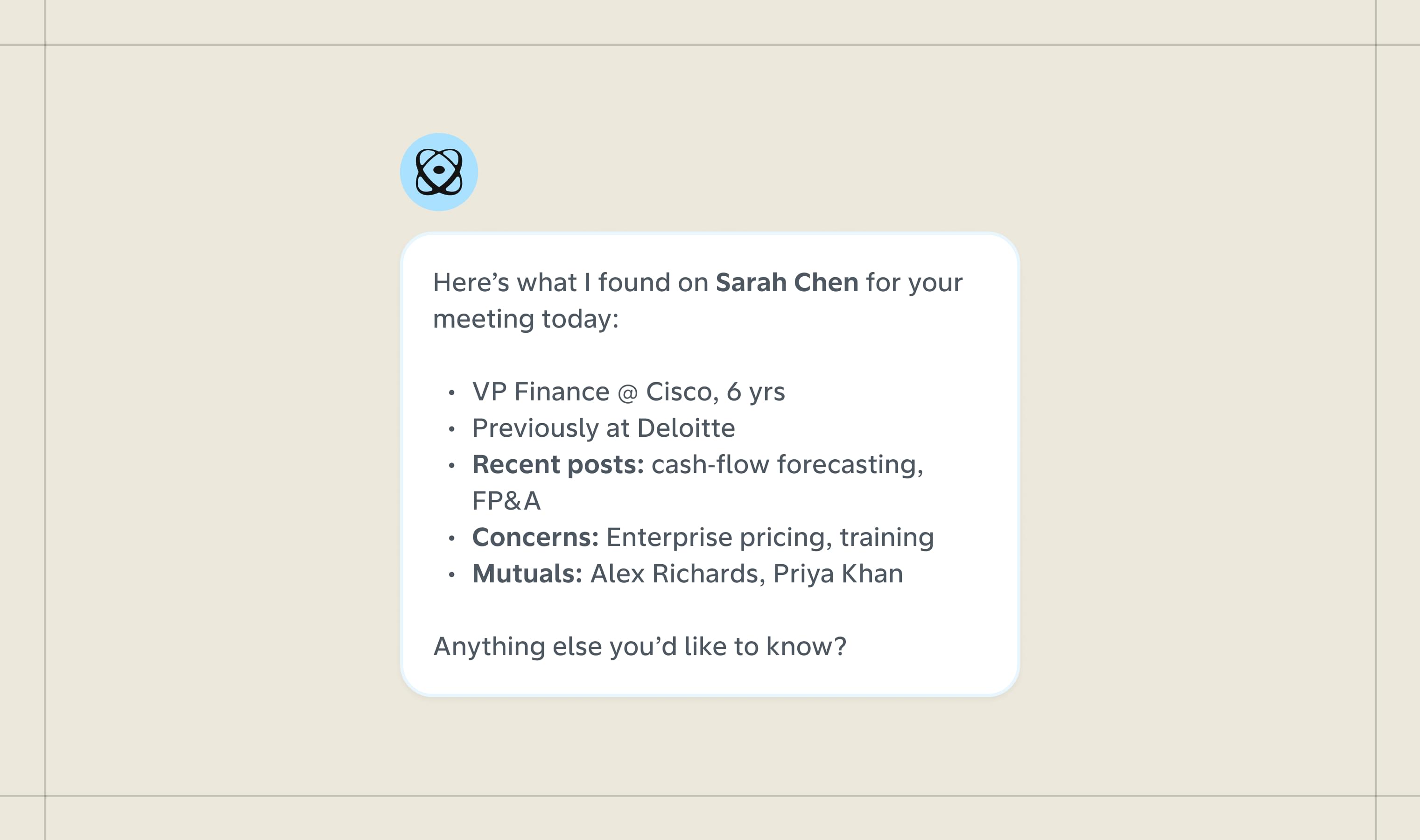
Quin's daily brief lands each morning with a rundown of who you're meeting with that day, relevant context on each person pulled from your CRM and email history, and any outstanding items tied to them. By the time you open your laptop, the prep is done.
For calls that need more depth, like an annual review, a first meeting with a prospect you've been pursuing for months, or a client going through something complicated, you can request a deeper prep on demand. Quin pulls the full interaction history, open tasks, any commitments made in previous conversations, and relevant notes from their record.
You can also set this up to run automatically. Tell Quin how far in advance you want it and which meetings warrant a closer look, and it handles the rest.
What changes when prep isn't an afterthought
The obvious benefit is that you look prepared. The more meaningful shift is that you catch things you would have missed: the task you said you'd handle two weeks ago that slipped, the conversation where a client mentioned something personal worth acknowledging, the question you never got back to.
Surfacing these things before the call means you're not discovering them during it, or worse, after.
Where to start in Quin
Two things are worth setting up first.
1. Customize your daily brief.
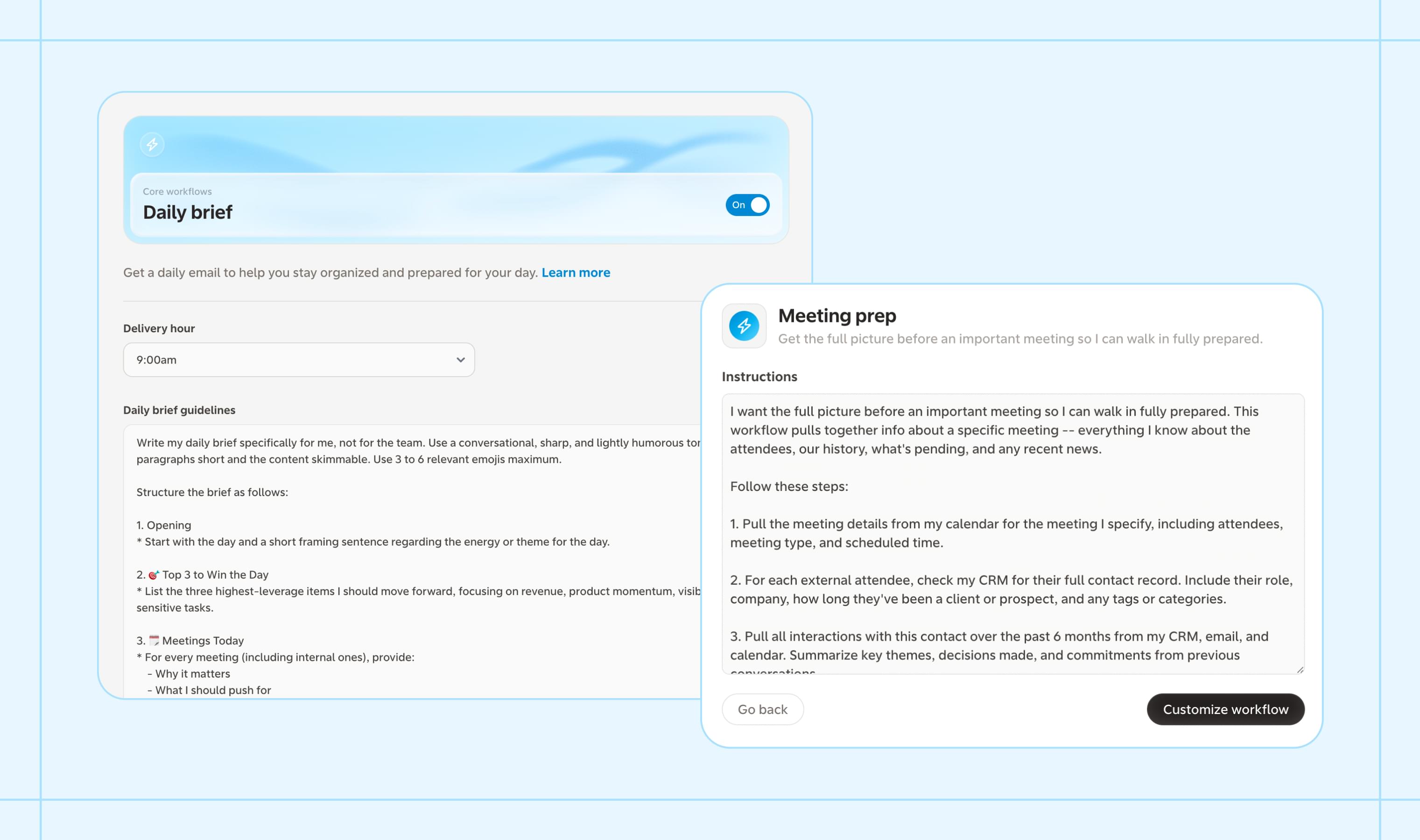
The daily brief is one of Quin's core workflows, so it's already in your account. Go to Workflows, open the Daily Brief, and adjust the settings to fit how you start your day: what time you want it delivered, which meetings to include context for, and what standing items matter to you each morning.
2. Add the meeting prep workflow.
Head to Workflows and tap Discover. Find the "Meeting prep" workflow and add it to your account. From there, you can set it to trigger automatically before specific meetings or run it on demand whenever you need a closer look at someone ahead of a call.
Both take a few minutes to configure once. After that, the prep happens without you.
#skills